CACCHT Explorer · Guide
Adding texts
The library holds everything the Explorer can show: the corpora on your computer, those it can download, the translations and the dictionaries. Open it with Texts → Add a text… in Parallel, or Open a corpus in Panes.
Corpora on your computer
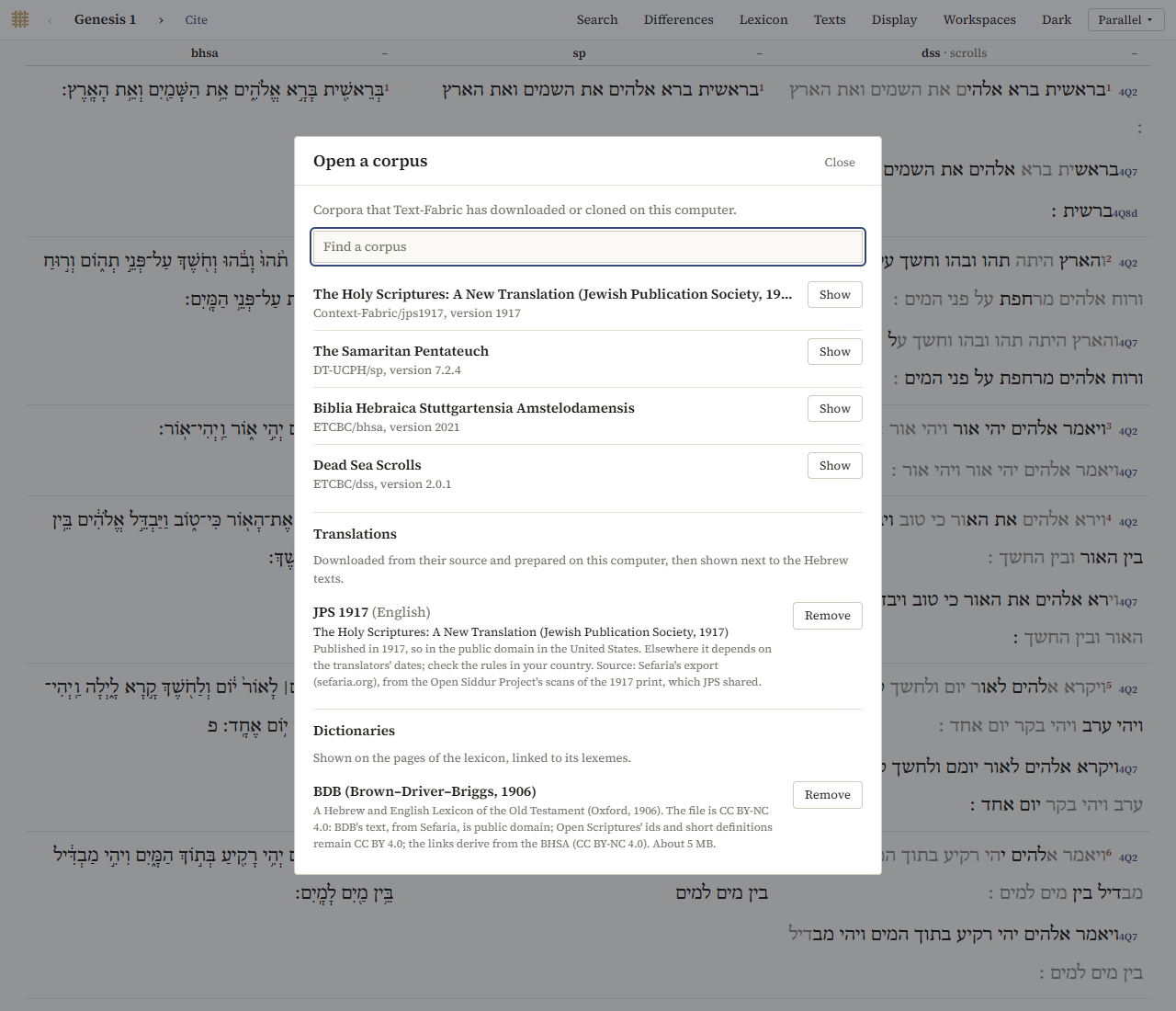
At the top, Open a corpus lists the corpora that are on your computer, in the folder where Text-Fabric keeps them (text-fabric-data in your home folder). Open opens one; Show shows one that is open already. Find a corpus narrows the list.
The first time a corpus is opened, the program prepares it, which takes from half a minute to a few minutes; after that it opens in a few seconds. In this version, only the BHSA, the Samaritan Pentateuch and the Dead Sea Scrolls are offered.
Corpora that can be downloaded
Can be downloaded lists the corpora the program can get for you: the BHSA, the Samaritan Pentateuch and the Dead Sea Scrolls, from their own releases on GitHub. Download gets one, unpacks it and prepares it, with its progress shown. Terms of use links to the corpus' own page. If a download fails, Try again tries again; downloads already made are kept, so nothing is downloaded twice.
At the first start the program offers all three at once.
Translations
Translations lists the translations the program can add, each downloaded from its source and prepared on your computer. So far there is one: the JPS 1917, from Sefaria (about 5 MB). Add downloads and prepares it, in a few seconds; it then appears as a text next to the Hebrew.
Remove (and Remove again to confirm) deletes it. If it is open, it is removed the next time the program starts, and until then Keep it undoes the removal.
What a translation does in the interfaces:
- in Parallel and the Reader it is a column like the others, with the print's verse number where the 1917 print numbers otherwise;
- in the Interlinear, Under offers it as a line per verse;
- in the Concordance it can be searched in English (
word lower=lord); - it has no hover card, and it is left out of Differences.
Dictionaries
Dictionaries lists the dictionaries the program can add. So far there is one: BDB (about 5 MB). Add downloads it; Remove deletes it. Once it is added, its entries appear in the lexicon, on the hover card, in the word panel and in the Interlinear.